Blocks
Cabin lights
LED Panel, Spot and Brass Pendant cabin lights, how they follow the elevator's state with operation, off and emergency light, and how they light the cabin.
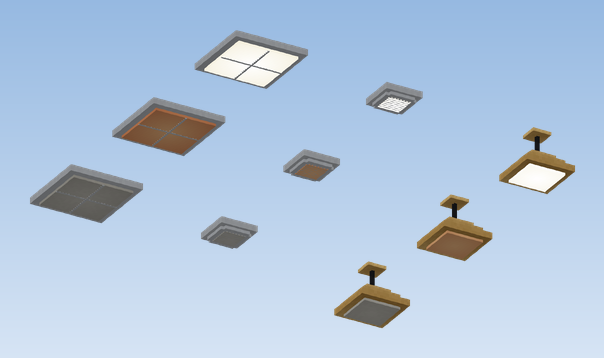
| Light | Look |
|---|---|
| Cabin Light (LED Panel) | flat square panel |
| Cabin Light (Spot) | small recessed spot |
| Cabin Light (Brass Pendant) | brass lamp on a short cord |
Placing
Place the light on the ceiling of the cabin and glue it to the car. Below a top slab or a thin ceiling it moves up by itself so it touches it.
What it does
On a running elevator the light follows the elevator's state:
| State | Light |
|---|---|
| in service (drive turning) | on, full brightness |
| out of order | emergency light, dim (light level 6) |
| switched off (no drive) | off |
Placed anywhere else in the world, the light is simply on.
Lighting the cabin
Blocks on a moving contraption give no light to the world. So that the inside of the car is still bright, an invisible light block travels with the car just below every lamp. It is only placed in air and never replaces a real block.
This can be switched off with "cabinLightsLightWorld": false in config/createmanagedelevators.json, for example on
a server with many elevators, because every move of the car causes light updates.