Call buttons
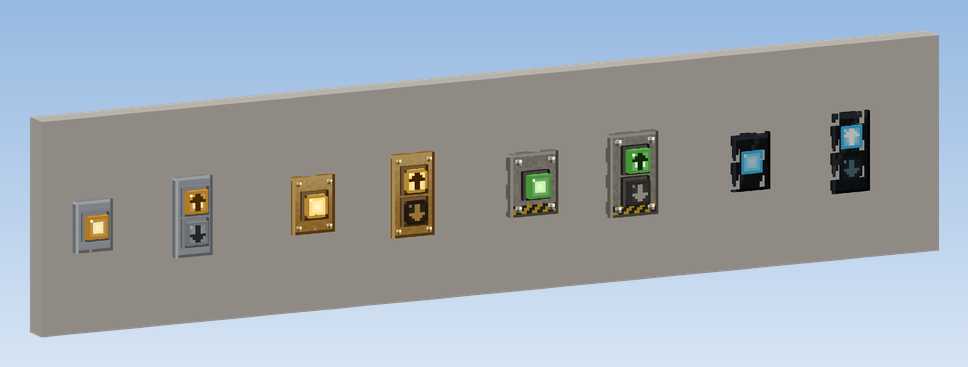
Call buttons are how people on a floor call the elevator. There are two kinds, each in four designs:
| Block | Buttons | Use |
|---|---|---|
| Call Button (Steel, Brass, Industrial, Glass Touch) | one, without direction | top and bottom floor, or simple elevators |
| Up/Down Call Panel (Steel, Brass, Industrial, Glass Touch) | upper button up, lower button down | every floor in between, and between the shafts of a group |
Placing
Click a wall next to the landing door. The button sits flat on the wall, its front pointing at you. That is all: the
button looks for the elevator contacts around it by itself, up to 4 blocks to the side and 3 blocks up or down
(callButtonSearchRadius, callButtonSearchHeight).
Using
Right-click the button. On the Up/Down Call Panel, the upper half calls a car going up, the lower half a car going down. The button clicks and its lamp lights up.
| Lamp | Meaning |
|---|---|
| lit | the call is stored; it goes out when the car arrives |
| dark | no call, or the elevator is switched off |
| blinking red | out of order: no car of this button's group can come |
Lit buttons glow a little, enough to find them in a dark hallway.
Messages
| Message | Cause |
|---|---|
| "No elevator contact found (up to 4 blocks to the side, 3 up or down)" | No elevator contact in range. Move the button closer to the shaft or the contact. |
| "The elevator here is not running: assemble its pulley and give it rotation" | Contacts found, but no car of them is running. |
Several shafts
If a button finds the contacts of several shafts, it calls the group: the controller sends the car that gets there best. See Groups of elevators.
Direction and collective control
A call from the Up/Down Call Panel is only served by a car travelling in that direction. A Call Button without direction is served by the next car that passes. See Call memory and collective control.