Elevator doors
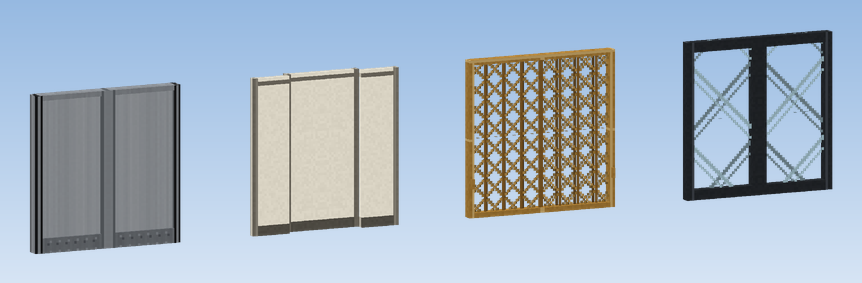
The same door block serves as cabin door on the car and as landing door in the wall of every floor.
| Door | How it opens |
|---|---|
| Elevator Door (Steel) | one leaf slides almost a whole block to the side; two side by side make a centre opening door |
| Elevator Door (Telescopic) | two panels per block that slide over each other, for narrow shafts |
| Scissor Gate (Brass) | brass lattice that folds up towards its hinge, the classic cage door |
| Elevator Door (Glass) | framed glass leaf, see-through; pairs like the steel door |
Placing
Doors are placed like vanilla doors: two blocks high, the hinge side depends on where you click and on neighbouring doors.
- Single door: one door block, one block wide. It slides away from its hinge side.
- Double door: place two doors side by side. As with vanilla doors, the second one takes the opposite hinge, so the two leaves open to both sides (centre opening).
Cabin door and landing door
Cabin door
Place the door in the cabin wall and glue it to the car with Super Glue.
Landing doors
On every floor, place a door of the same width directly in front of the cabin door, in the shaft wall, facing the same way.
Assemble
Assemble the elevator. From then on the cabin door opens at each stop and takes the landing door in front of it along.
The doors do not have to be the same design: a glass cabin door can open a steel landing door.
Which side of the car opens at a floor is set with the Onboard Door Control setting of that floor's elevator contact, as in Create.
Locked
Elevator doors never open by hand or by redstone. A click shows "Elevator doors only open when the car is here". This keeps people from falling into the empty shaft.
Light curtain
While the doors close, anyone standing in the doorway (player or mob) makes them open again. See Door sequence.