Overview
The signal box is where you watch and steer the railway as a whole. It shows the whole rail network of a dimension as a live track diagram: occupied and reserved sections, the aspect of every signal, every train in its line colour. From there you lock signals at stop, hold trains, set routes and give a substitute signal.
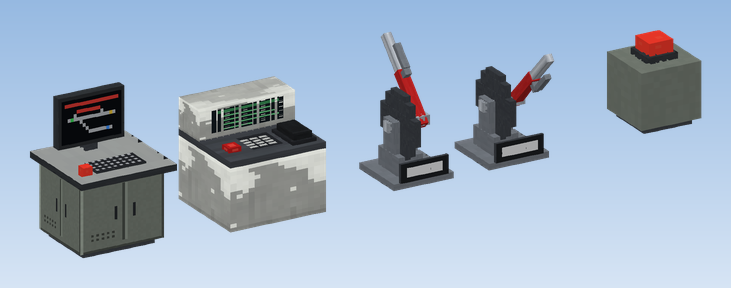
From left: Railway Control Desk with its warning lamp lit, Dispatcher Radio Desk, Route Lever in normal position and thrown, Stall Alarm reporting a stalled train.
What belongs to the signal box
| Block | What it does |
|---|---|
| Railway Control Desk | Opens the line manager window. Its lamp burns and it emits redstone while a disruption is in effect. |
| Track Map Display | Blocks on a wall form one large track diagram. |
| Track Diagram Desk | The same diagram lying flat, as a control table. |
| Track Diagram Console | A flat panel only a few pixels high that goes on any table. |
| Route Lever | A mechanical lever that switches one route on and off. |
| Stall Alarm | Lights up and emits redstone while a train stands on the open line for too long. |
| Dispatcher Radio Desk | The dispatcher's train radio, see Train radio. |
Every one of these opens the same window: the Line Management window, which you also get with the command /cmr.
How the window looks depends on where you opened it: a desk with a control area
only shows its part of the network and only offers the signal box tabs.
Pages in this chapter
Track map
Track map displays and desks
Signal locks and holding trains
Quick start: a small signal box
Place a Railway Control Desk
Put it anywhere, it does not need to stand near the track. Right-click it: the Line Management window opens.
Look at the map
Open the Map tab. Scroll to zoom, drag with the right mouse button to move.
Put the diagram on the wall
Build a rectangle of Track Map Displays on a wall, all facing the same way. They join into one large diagram.
Lock a signal
Click a signal on the map. It turns to stop for Create, as if forced red by redstone. Click it again to release it.
/cmr.