PZB track magnets
The PZB Track Magnet sits where it belongs on the real railway: outside the right-hand rail, its yellow top just below the top of the rail, with a cable to the junction box (yellow lid on a post) at the edge of the ballast.
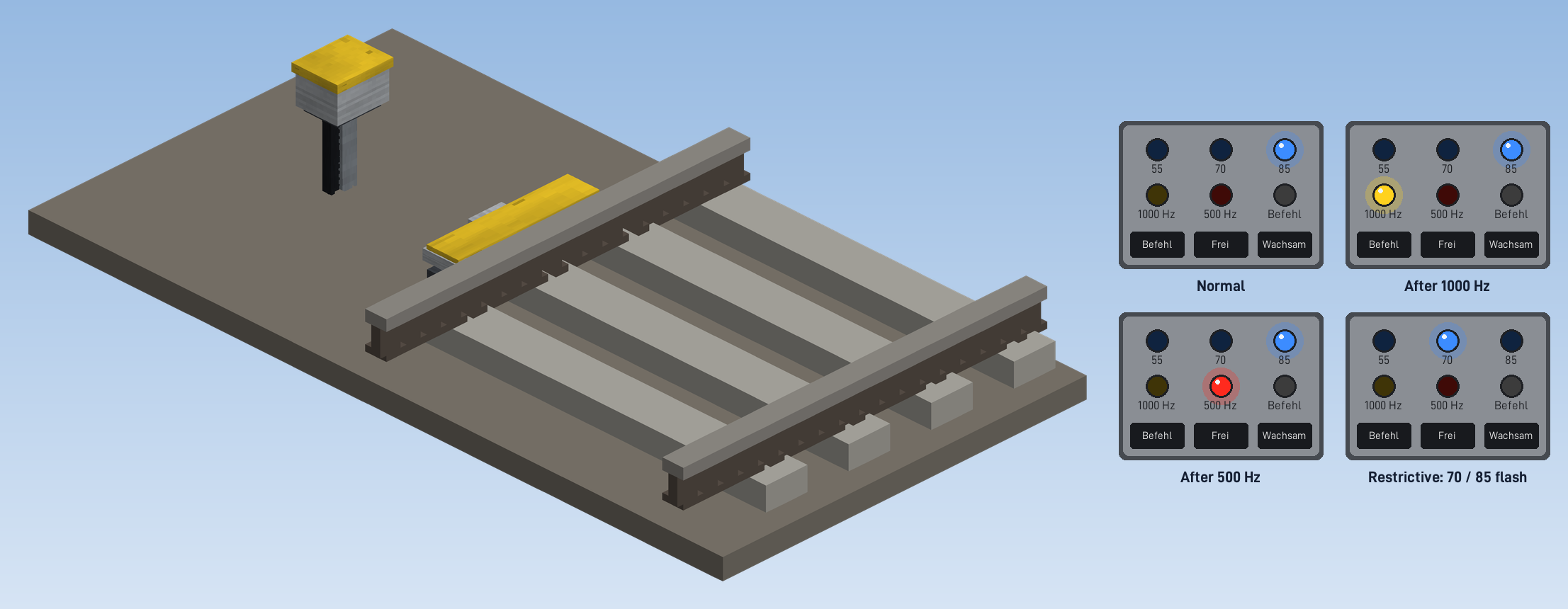
Placing a magnet
Click the track
Hold the magnet and click the track looking in the direction the trains will run that the magnet is meant for.
Set down the junction box
Place the junction box nearby, beside the track.
Done
The magnet lies outside the right-hand rail in the direction you looked and follows curves. It acts on trains running that way.
Frequencies
A click on the junction box opens the magnet's window. Choose the frequency:
| Frequency | Where | Acts when … |
|---|---|---|
| 2000 Hz | at the main signal | the signal shows stop: every train with PZB is braked to a stand |
| 1000 Hz | at the distant signal | the main signal behind it shows stop ("expect stop"): supervision begins |
| 1000/2000 Hz | at a signal that is main and distant signal at once | 2000 Hz for its own signal, 1000 Hz announces the next one |
| 500 Hz | about 250 m before the main signal | the main signal shows stop: tighter supervision begins |
What the train has to do after 1000 and 500 Hz is described under PZB supervision.
When a magnet is active
A magnet does not need to be wired to a signal. It looks ahead along the way the train will take (its schedule path, or where the driver steers) and is active when the first signal ahead shows stop, or the track ends before one. How far it looks:
| Frequency | Looks ahead |
|---|---|
| 2000 Hz | 30 blocks |
| 500 Hz | 400 blocks |
| 1000 Hz | 1500 blocks |
So the 1000 Hz magnet at a distant signal acts while the main signal behind it shows stop. The 1000 Hz part of a 1000/2000 Hz magnet looks past its own signal at the next one.
"Shows stop" means: the section behind the signal is occupied by another train or its reservation, or the signal is locked by the signal box. A train's own reservation does not count; Create reserves the sections behind chain signals for a scheduled train, and the magnet ignores that.
Mode
| Mode | Meaning |
|---|---|
| By signal | Acts when the next signal ahead of the train shows stop (the usual case at a signal). |
| Always | Acts on every train, whatever the signal shows, for example in front of a buffer stop or the end of the track. |
| Off | Never acts, for example while the line is being built. Trains pass without PZB. |
What the window shows
- frequency and mode, with a short description of what they do,
- the track and the direction of travel the magnet watches ("Track at …, acts on trains running north"),
- how far it looks for the signal ahead for each frequency,
- Last train over it: its name, how many seconds ago, and what the magnet did: 2000 Hz, emergency brake, 1000 Hz active, 500 Hz active, inactive (line clear), switched off or train without PZB.
Changing the settings needs the permission to manage the railway (CRN "Global Settings").
Planned
What is planned for train protection - ETCS level 3 with moving block, and brake systems with real braking. Nothing of this is built yet.
PZB supervision
What PZB 90 demands of the driver after a 2000, 1000 or 500 Hz magnet - Wachsam, Frei, restrictive supervision - and the PZB Panel and PZB display in the cab.