ETCS level 1
Outside the area of a radio block centre, ETCS can run on level 1: a Eurobalise at a signal gives a passing train its movement authority, up to the next signal at stop. The train keeps it until the next balise.
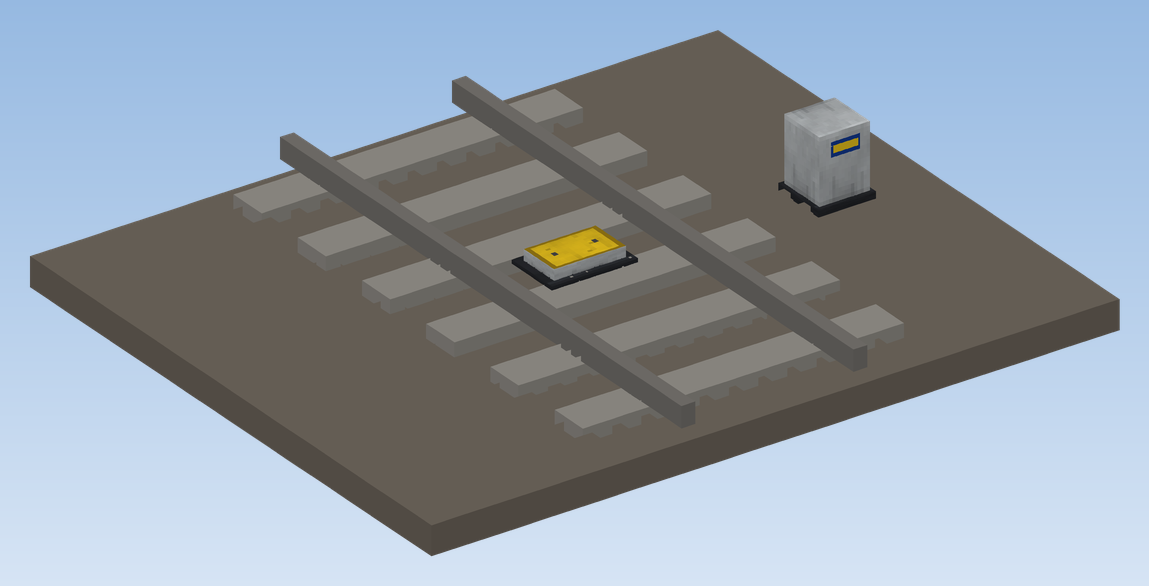
Placing a Eurobalise
Click the track
Hold the Eurobalise and click the track at the signal, looking in the direction the trains will run.
Set down its box
Place its box (the LEU) beside the track. The yellow balise now lies between the rails.
Done
The balise finds its signal by itself. It acts on trains that pass it in the direction you looked.
The balise window
A click on the box opens the window of the balise. It shows in large what the balise sends and what that does to a train.
| Setting | Choice |
|---|---|
| Telegram | Signal (level 1): a train with ETCS gets its movement authority here, up to the next signal it may not pass, and runs in full supervision. End of ETCS (level 0): the train goes to level 0 here, supervision ends and PZB takes over. |
| State | On, or Off: the balise sends nothing, for example while the line is being built. |
At the bottom it tells which train passed last and what it got: authority sent (level 1), level 0 sent, PZB takes over, train without ETCS or balise antenna, ETCS switched off in the area or balise switched off.
Changes need the permission to manage the railway.
Standing at the end of the authority
A level-1 authority ends at the next signal at stop. If the train stands in front of it, it learns as soon as the signal clears, as through a loop, and may go on.
Balise Antenna
Without a Balise Antenna a train reads no balises. It is a block of the car floor; the antenna sticks out below the car.
- Build it into the floor of a carriage, or set it from below against a block: then it hangs from that block.
- One antenna per train is enough.
Covering the antenna
So that the floor of your car looks the same everywhere:
Click it with a full block
Click the antenna in the floor with an ordinary full block (stone, planks, wool, …). In survival mode one is used up.
Done
The block of the antenna now looks like that block; the antenna still shows below the car.
Taking it off
Sneak with an empty hand, or click with Create's wrench: the cover comes off and you get the block back. Breaking the antenna drops the cover too.
When do I need balises?
| Situation | Balise needed? |
|---|---|
| Inside the area of a radio block centre (level 2) | No. The train gets its authority over the radio; balises change nothing while it is inside. |
| A train runs into a level-2 area | No. It switches to level 2 by itself once it has radio contact. |
| A train leaves a level-2 area onto a line without ETCS | No. It falls back to level 0 by itself and PZB takes over. |
| A train leaves a level-2 area onto a level-1 line | Yes: a balise with telegram Signal at the first signal after the area. |
| A level-1 line with signals and no radio block centre | Yes: a Signal balise at every signal. |
| The end of a level-1 line | Yes: a balise with telegram End of ETCS. Level 1 holds until a balise ends it. |
ETCS level 2
Set up ETCS level 2 with a Radio Block Centre - its area, radio coverage, the window that switches ETCS off for the area, and the commands.
ETCS modes and DMI
The ETCS modes FS, OS, SR, SH, TR, PT, SB and UN, how to get from one to the other, orders over the radio, and the small and the full DMI.